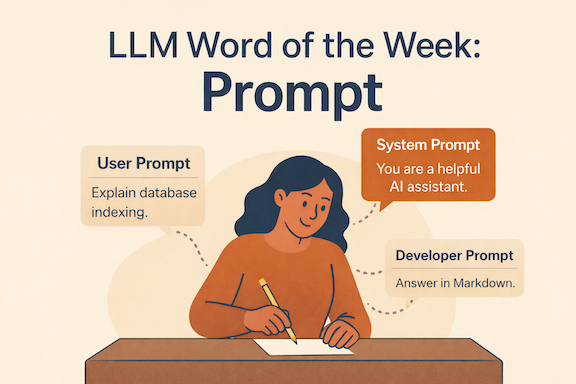
LLM Word of the Week: Prompt
If LLMs are powerful reasoning engines, prompts are the steering wheel.
A prompt is how you talk to a language model — what you ask, how you ask it, and the constraints you give it. Small changes in a prompt can lead to dramatically different outputs.
This week’s word: Prompt.
What is a Prompt?
A prompt is the input you provide to a language model to guide its response.
It can be:
- A question
- An instruction
- A role
- A format
- Or a combination of all of the above
At inference time, the model doesn’t “understand” intent the way humans do. It predicts the next token based on the tokens it sees — your prompt is the context that shapes those predictions.
A Simple Analogy
Think of an LLM like a very skilled intern.
-
If you say:
“Write something about databases”
You’ll get something, but maybe not what you wanted.
-
If you say:
“You are a senior backend engineer. Explain database indexing to a junior developer using examples.”
You’ll get something far more aligned.
Same intern. Same skills. Different instructions → different outcomes.
That’s prompting.
Types of Prompts in LLMs
Modern LLM systems usually work with multiple layers of prompts, not just one.
1. System Prompt
The system prompt sets the model’s overall behavior.
It answers questions like:
- Who are you?
- How should you behave?
- What rules must you follow?
Example:
“You are a helpful, precise AI assistant that explains concepts clearly and avoids speculation.”
This prompt is usually invisible to the user, but it heavily influences every response.
Think of it as the operating manual the model is given before the conversation starts.
2. Developer Prompt
The developer prompt adds application-specific instructions.
It defines:
- Formatting rules
- Tone
- Safety constraints
- Domain-specific behavior
Example:
“Always respond in Markdown. Use short sections and bullet points.”
This is how products turn a general-purpose LLM into:
- A coding assistant
- A tutor
- A support agent
System + developer prompts = the rails the model runs on.
3. User Prompt
The user prompt is what most people think of as “the prompt”.
Example:
“Explain how indexes work in databases.”
This is the task request, but it operates within the boundaries set by system and developer prompts.
Same user prompt + different system prompts → very different answers.
Prompting Is Not Programming (But It Rhymes)
Prompts aren’t deterministic instructions like code.
You’re not telling the model exactly what to do — you’re nudging probabilities.
Good prompting:
- Reduces ambiguity
- Adds constraints
- Provides examples
- Clarifies expectations
Bad prompting leaves too much open to interpretation.
Common Prompting Techniques
Even without fine-tuning, prompts can dramatically improve results.
Some widely used techniques:
-
Role prompting “You are a senior data scientist…”
-
Few-shot prompting Provide examples of desired input → output
-
Step-by-step prompting “Explain your reasoning step by step.”
-
Structured prompting “Return the answer as JSON with these fields…”
All of these work by reshaping the context window the model uses to predict tokens.
Why Prompts Matter More Than Ever
As models get more powerful, prompt quality becomes the bottleneck.
Two people using the same model can get wildly different results — not because the model changed, but because the prompt did.
Prompting is how we:
- Align models to tasks
- Reduce hallucinations
- Enforce structure
- Extract reliable reasoning
Final Thought
If training teaches a model what it knows, and inference is when it uses that knowledge…
Then prompts are how we ask the right questions.
They don’t add new intelligence — they unlock the intelligence that’s already there.
LLM Word of the Week: Prompt
Because with the right prompt, the same model becomes a completely different tool.
#LLM #AI #PromptEngineering #LargeLanguageModels #GenAI #LLMWordOfTheWeek
See you next week for another LLM Word of the Week! 🚀